
MindNode lets you add formatted mathematical equations to your mind maps using LaTeX. Whether you're taking notes for a math class, documenting scientific formulas, or visualizing technical concepts, LaTeX makes it easy to include professional-looking equations directly inside your nodes.
Add a LaTeX equation
Use the following steps to add an equation to your node:
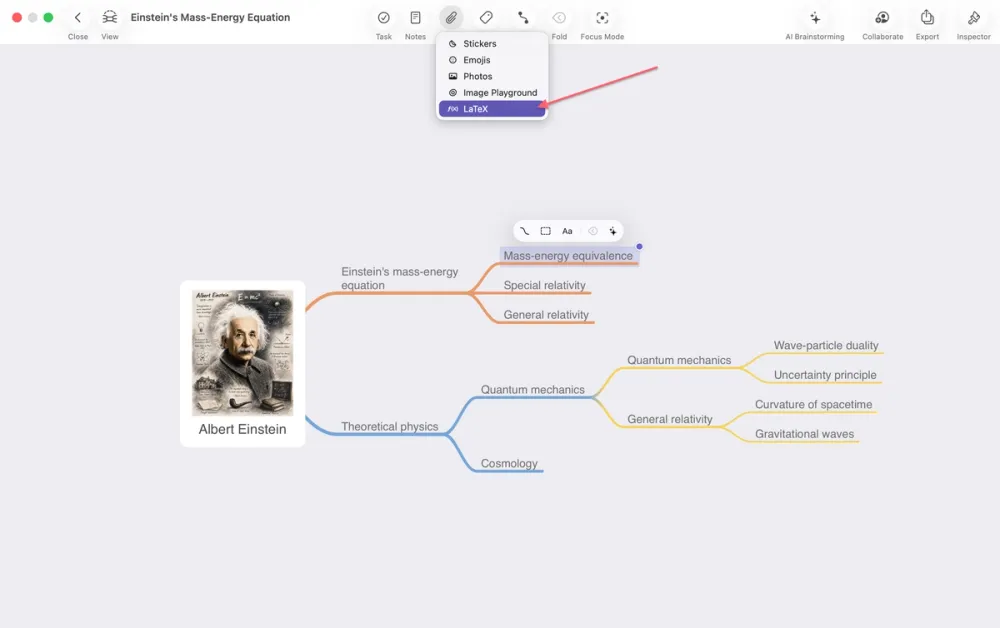
1. Select the node where you want to insert an equation.
2. Select the image button in the toolbar to access the menu with all supported media types.
3. Choose LaTeX.
4. Enter your equation using LaTeX syntax.
5. Click insert to apply the equation to your node.
Edit an equation
To edit an existing equation:
1. Select and double click the equation.
2. Modify the LaTeX code.
3. Save your changes.
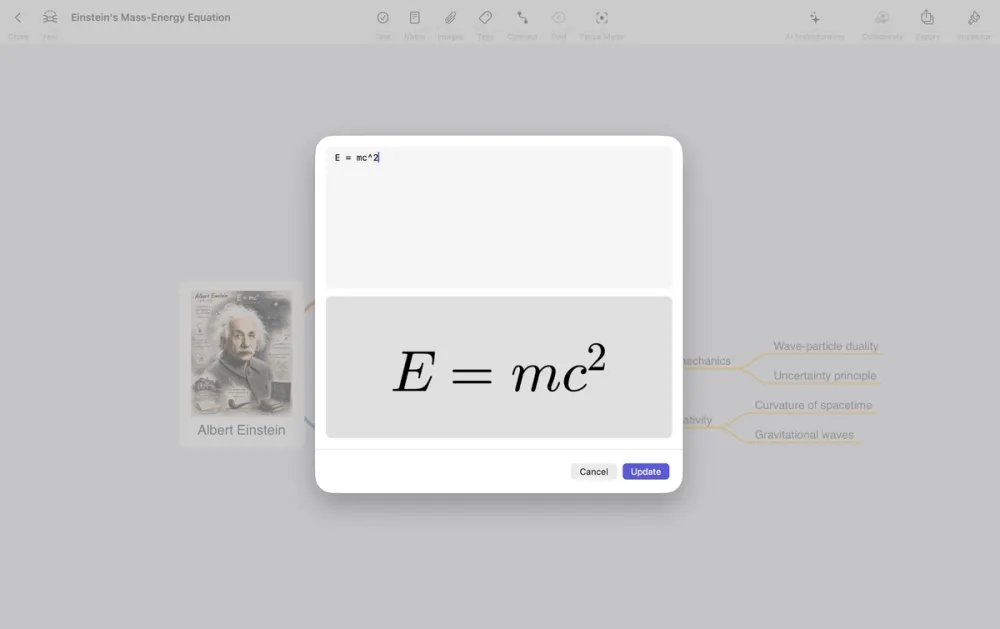
The equation is rendered immediately after you update it.
Writing equations
MindNode supports many commonly used LaTeX commands, including:
- Fractions: \frac{a}{b}
- Exponents: x^2
- Subscripts: x_1
- Square roots: \sqrt{x}
- Greek letters: \alpha, \beta, \pi
- Summations: \sum
- Integrals: \int
Here are some examples:
- LaTeX: \frac{-b \pm \sqrt{b^2-4ac}}{2a} → Quadratic formula
- LaTeX: E = mc^2 → Einstein's mass-energy equation
- LaTeX: \int_a^b x^2\,dx → Definite integral
Supported LaTeX
MindNode supports subset of standard LaTeX commands as well as many commonly used mathematical environments.
Please note: Some advanced LaTeX packages and commands are not supported, commands that rely on external LaTeX packages may not render correctly.
Use LaTeX to keep mathematical expressions readable without cluttering your nodes with plain text.