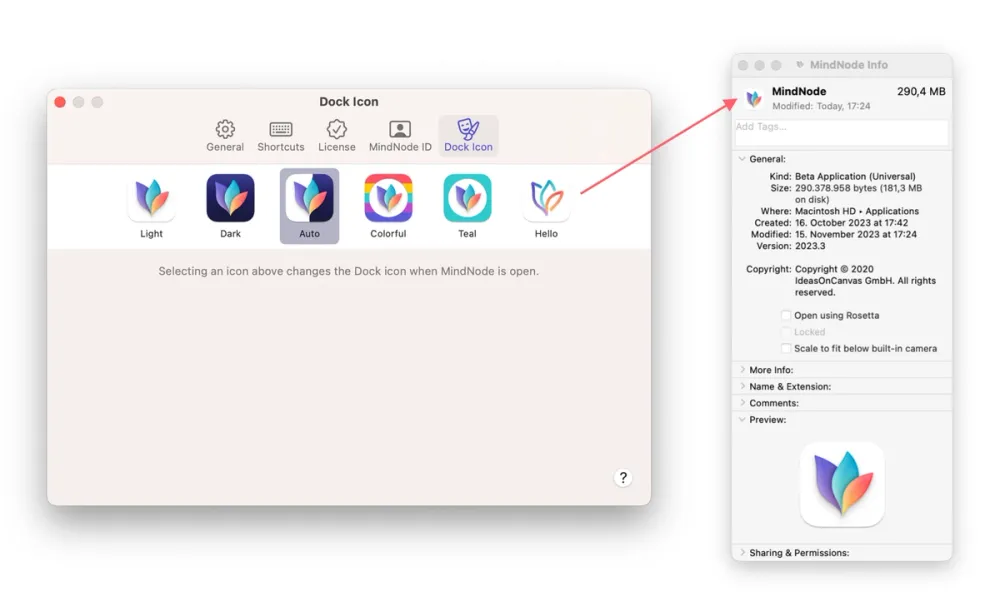
To change the appearance of the App Icon that shows in the Finder even when you currently not working in MindNode, please follow these steps:
- Open Finder then Applications and locate MindNode
- Control-click on it and choose “Get Info” (⌘I)
- Drag one of the icons from the Settings panel onto the app icon in the Info panel (top-left corner)
- You may need to enter your Mac’s password
- Quit and relaunch MindNode
Note that you have to select your preferred Icon again after installing new updates for MindNode.